Sep 1, 2009
Inspiration Is Better Than Coffee
Aug 6, 2009
Quick Trick: Zero Zero Zero
Aug 5, 2009
Quick Trick: Think In Reverse
This one is kind of abstract, maybe makes no sense, but might work for some of you.
If I try and block a shot using "story poses", I usually find myself getting stuck. I find it easier to set my first pose, then work through the shot trying to set the minimum amount of poses as possible along the way, but still using rough breakdowns to figure out where the character is going ( imagine it like straight ahead, but with very few drawings ). If I just step through and put my "story" poses, they can sometimes be so far apart either in time or in screen space that how I actually get to them ( e.g, what my breakdowns look like ) can start to confuse me a lot.
So sometimes, when I do try and do just story poses, I occasionally think backwards from a pose that is causing me problems when I come to figure out the breakdowns. So say my keys and breakdowns are working nicely from frames 1 - 30, but then I have a pose on frame 50 that I can't easily figure out how to get to... I find it can help to think backwards from frame 50 to 30 and do the kind of straight ahead blocking towards the previous key.
I think this can sometimes make it easier because your transitions into frame 30 are figured out, so you understand where the motion is coming from, but everything after frame 5o is still blank space so understanding where its is going is harder.
Labels: animation, blocking, breakdowns, keys
Quick Trick: Crop Your Shot
A little trick I started using recently that helps me to evaluate my work is to trim how much of my shot I playback when I set it to loop and sit there watching it.
I find it hard to "evaluate" motion unless its complete to a certain level. Sometimes I find myself changing bits of animation that are really working just fine, and its the motion after that I haven't started working into yet that is changing my perception of it ( I tend to start refining from start to finish in sections, as opposed to passes across the whole shot ).
So its quite simple... if you just want to get a feel for how stuff is going, try setting your playblast to not include the last 10 frames, or however many frames you feel are not "figured out" yet.. and just get a feel for what youre up to... kind of like thinking "if my shot just ended here, is that motion working?"
I know... strange one... but helps me.
Over and out.
Jun 25, 2009
RandoFlip
I converted it to a Javascript GUI and stuck it here on Flip. I find it can be really helpful to get a random quote as you work through your animation. Keeps you thinking.
It should be right there! >>>
Transformers!
It might spoil the fun if I start talking about what shots I did... hopefully I`ll get time later to do that. For now just load up on nachos and pepsi and go and enjoy it for exactly what it is... awesomeness!
Jun 5, 2009
Square One

Hey guys... remember me?
I think it goes without saying that "apologies" for not posting recently would be like an awkward joke, maybe a slightly offensive one, in a crowded elevator, on a Monday morning. I'll skip all that and just say the obvious... I've been busy.
My time at ILM... what can I say? it was AMAZING. It honestly was everything I could have dreamt it would be... fun, bloody hard, challenging, bloody hard, rewarding, enlightening, bloody hard, nostalgic, and bloody hard. Transformers 2 was a great show to work on, and the movie is going to be a really entertaining robot smashing mash up that you would expect from the likes of none other than Mr. Bay... The amount of incredible shots in this movie will blow your mind. I'm really grateful to the guys at ILM for letting me ride with a bunch of complex shots that I can be really proud of for years to come.
The point of this blog is to share and write about my discoveries as I travel the path that animation seems to pave for me. If I was to summarize my learnings from ILM I would put it this way ( without being too specific of course ... I know you guys all understand ):
- "You'll get it in the end"
My mindset moving forward is this... yes, often it will feel crappy. Sometimes terrible. Often you will make mistakes, often it will seem like the shot was animated by a 3 year old child. Keep at it... and you'll get it in the end.
- Blocking is its own art.
We often hear about the importance of "selling an idea" or "showing your thinking clearly" and the main reason is simply so we don't have to keep doing stuff again before we get something that we all know will work the best in the sequence.
The trick is not to sweat the details in blocking. I find that the layered or straight ahead approach animator takes satisfaction and understanding of his work from the details. Its like we need to see every jiggle and settle before we can tell if our animation works or not. Its a tough mindset to get out of, but the truth is always that those details are secondary to the broad communication of your motion. Nail that, then nail that.
- Your work getting hammered is great.
I think a really large part of what makes great animation great, is the continued change and iteration that a variety of minds will shape. Every shot I did at ILM is a melting pot of ideas created by a number of people. If I had just stuck with what I thought worked, what I though looked cool, what I thought looked heavy... my shots would not have turned out the same at all.
Its annoying to change animation. We all know it ..."but how are my footplants gonna work?" "how is he gonna get into that pose in time now?" "oh man, that's way harder to do that way" "man I spent all that time on that other idea"... these are the thoughts of an animator improving his skills. Its key to trust your leads and colleagues.
- Keep it simple.
- Slow it down.
- Movies are brilliant.
I should also mention that I'm right back at square one.
Just a few weeks here literally has me shaking in my boots. The quality of work here is of the highest caliber in every respect. Exactly as it was at ILM. I have an immeasurable amount of learning and catching up to do before I will be able up to the level of these guys.. but here's to hard work!
Stay tuned people...
Jan 28, 2009
Unexplored Territory
If you are a follower of my blog, you will know my aim for the past few years has been to step out of the games business and get a long dreamed about job in the movie industry. Right now I am getting ready to move with my family down to San Francisco, and help out at Industrial Light and Magic. I can't wait. This is the place that got me into all this animation stuff in the first place. I'm scared stiff... but really ready for the challenge.
Bye everyone at Propaganda, I'll miss you all!
Labels: animation job, computer games, ILM, propaganda games, vancouver
Dec 3, 2008
Say Hello... Again!
So its an animation blog.. I know... but my second son was born at 12:20am yesterday morning. His name is Amaan Akbar Fielding, and hes making me proud already. Soph is doing really well, and stormed through the birth like a pro!


Labels: Amaan Akbar Fielding
Nov 22, 2008
Update
I finally got a round to re-posting the Turok Creature Reel. I was asked to put a disclaimer at the foot of the video just to clarify that I`m not showing actual in-game footage. Makes a lot of sense.
Thanks for the interest from everyone that mailed to ask me what happened to it. Hopefully the Workflow post should make much more sense now, seeing as you can actually see what I'm referring to!
Creature Reel
Nov 19, 2008
Getting An Animation Job In Games
The rules:
- Understand what computer game animation really is.
- Figure out if its the right thing for you.
- Do your research.
- Do what you need to show you can do it.
The common misconceptions:
- You need a diploma, degree, or some kind of official qualification in computer game production.
- You have to play loads of computer games, and know all about them.
- You have to be a `generalist` who knows how to rig, model, texture, light, shade, and never make any spelling mistakes. ever.
- You have to know how to use a specific program, like Maya or Max.
So I`ll step through these one by one and offer some advice.
To begin with, its safe to say that working in the games industry is fun, and challenging. Despite the fact that its not hard like an 8 hour shift at Starbucks, it is bloody difficult to make games, and it throws up new challenges everyday that are usually only partially related directly to animation. There are a lot of regular dealings with areas that feel very much out of your control, but directly effect what you do, and the final presentation of your hard work. When you create animation for games, you are constantly trying to fit a ball into a hole that is slightly too small.
Whoops. This sounds negative. The truth is the ball often fits, you just have to squeeze it.
Computer game animation is concerned mostly with physicality. Good representation of weight and force. There not usually much need for acting animation, or even very much facial work. 99% of the time you re dealing with clear full body actions, that need to communicate the player's input ( with respect to action = reaction ) rather than any real emotional or emphatic communication. For example, if I swing my sword into an enemy, I don't care how the game character feels because that's me! I care about a clear visceral reaction that is satisfying and represents the result of the action I took in order to make it happen. In truth, I don't even care so much how the poor enemy feels! what is most important is that it felt like I did it, and I got some kind of reward. That's pretty much the blood and guts of game animation in a nutshell. Of course this will vary from game to game, and studio to studio, but for the majority this is the rule.
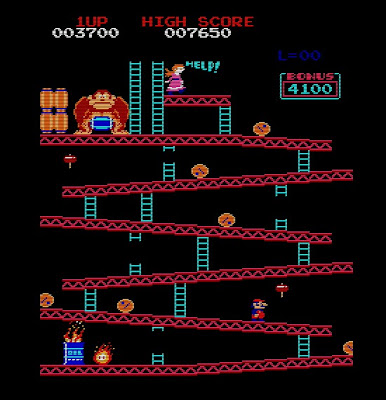
Its important to also understand that game animation doesn't play out from start to finish, from one view ( that you animated it from ) and in one predictable order. Game animation is a bunch of hundreds, sometimes thousands of different actions and gestures that are pieced together programatically, as the game requires them to happen. Sometimes the game is even playing more than one animation at once on your character! Occasionally the kinds of actions that are needed can be solely just to fill gaps, or technical needs, and can be really bizarre, as well as dull and uninteresting to animate. There is a lot fighting with this. There is a lot of figuring out how things will work, and trying your best to accommodate for a variety of different scenarios, some of which you may feel only look good 50% of the time. There is a lot of time spent trying to get other people to do stuff that makes your work appear better on screen, but they just don't have the time ( most commonly ) or the tools they need to do it how you envision.
For the upside...
One of the major differences between computer games and movies strikes right at the core of them both. The role of the protagonist. In a movie the audience is led to empathize with the protagonist, and feels emotion this way. Movies don't allow the audience to make any choices that affect the outcome. In games, the audience ( the player ) decides the outcomes, and causes emotional response by their own actions. In essence, there is no pre-defined protagonist, only characterization. The character of the protagonist in a video game is a direct mirror of the player themselves, represented by the limited number of choices they are allowed to make during the game.
What makes this so exciting about animating for games is that when it works, it really works. When you create a successful animation that has a real feeling of action = reaction, for a split second you are not making the player feel that as an emotion... they are that character on screen. There are times when you create and play these animations and it is intensely satisfying. These moments can come in the strangest of situations, a gun reload, a turn, a landing.
Working within constraints is also a good thing. The unconstrained artist will usually get stuck in a rut, because he cannot decide what to do when he can do anything he wants. Computer game animation is rife with constraint, and forces you to think in creative ways.
Because computer game animation is very heavy on physicality, its perfect for learning the core principles of animation. Weight in particular is a must in video games, and you will get plenty of time to master it. You will also spend a lot of time thinking about the entire character, rather than just cowboy shots, or close ups. This really trains you in thinking how characters move as a whole entity, which is a wonderful thing to get plenty of time to practice.
Computer games usually offer a lot of variety as well. Modern games call for more and more characters, larger more complex locations, and frequently more unique and groundbreaking visual design. This is a lot to do with the fact that as an art form video games are still very much in their infancy, things are being figured out that could change the course of gaming history! it feels like a time where new discovery, new ideas, and forward thinking are there for the taking.
So something that is important to think about when you consider games as your first step into animation, is to really understand your career goals, and whether or not video games will help you reach them. To be honest, I always wanted to do movies ( and I still do ) but I took a games job when I left university because I lacked the understanding of what it really involved ( to be honest, I lacked any understanding of animation at all ). During my 7 years experience, I have learned that the kind of animation that is required for today's feature animation jobs, does not come around too often in video games. This is why you will find lots of posts on workflow, particularly blocking on this blog - because I haven't had the professional chance to learn real production based animation for anything outside of the abstract form of video games. I am having to learn the basics of acting, staging, story etc all in my own time, and by myself, outside of the studio environment ( which of course is the best place to learn ). This is very tough. Sometimes I wish I had taken a T.V job, or started in commercials, something at least a little less abstract than the presentation of animation in a computer game. The truth be said, such is life, and I enjoy making games very much... I would probably be desperate to work in video games if I had taken the other path. All I'm saying is think about this carefully. Animation is very hard, and takes a long time to learn, so you want to be heading in the right direction as early as you can.
Sniff around...
Like any serious job, before applying you need to do your research. The sad truth is that a lot of games companies don't use the power of animation to its maximum. What I mean is, they don't give it the time or attention to detail it requires, and don't hire the best animators. The bottom line is that there are lots of games that are great, that don't have good animation. Animation is not as important to a video games success as it is in an animated feature for example. As an animator, however, you want to be applying to studios where they value animation, and are interested in investing in its ability to tell story and create compelling entertainment.
The best way to do this is to look at games. Most importantly, don't just look at the core movements, but look at the areas that are supposed to be 'unseen'. Take notice of the transitions between animations, the quality of things like feet that connect properly to the terrain, the floatyness or weightiness of a ragdoll, the believable way a character opens a door or climbs a rope, the careful economy of the number of animations, the seamless ways a character may traverse its environment. These are the areas that are hard to get right, and companies doing this successfully, care about animation.
Watch out for mocap. Hey that sounds a bit harsh, but what I mean is, you cannot put mocap on your demo reel unless you want to get another job doing mocap. Its that simple. So companies that are heavy in using mocap, are hiring animators more as artistically centered technicians, not animators. Of course, there are plenty of games where there is a nice mixture of mocap and keyframe ( usually sci-fi games with humans and varying types of creatures ). You have to constantly think about what you will put on a demo reel, and for an animator, mocap is almost entirely useless.
When doing your research, consider the type of game the company makes. Developers usually stick to a certain genre is because it takes so long to figure out how to make a particular type of game, it doesn't make business sense to begin such grand undertakings for each release. Most companies will stick to a genre and try to perfect it, constantly building on to of their previous successes ( just look at Blizzard and Valve ).
If you enjoy playing computer games, it makes sense for you to take an interest in working on the kinds of games you like to play. This gives you an understanding of where you think you can improve or innovate. On the other hand, if you are not a game player, choose companies that create games most closely linked to the kind of movie genre you enjoy best. This is not a prerequisite, however, you may want to work on something completely new and different to you.
So .. the demo reel..
There are no right and wrongs, no rules... just advice.
For a game demo reel, try and have a clear target in mind of the type of animation you want to work on professionally. If you like cartoony - do that. If you like creatures and monsters - do that. If you're really not sure - do both.
I suggest the majority of your reel should contain clear and believable physicality. The truth is, that acting and story ( most usually presented through a short film ) are not the most important requirements for a game animator. Beautiful dialogue animation is nice to watch, but wont sell your physical skills unless you choose appropriate execution. This is not to say that you wouldn't get hired if you had a beautiful short film with lots of dialogue... its just common sense that this is much harder to produce than individual examples, that can cover more important aspects in much less time.
Full body shots are always good, but try and avoid the tired old 'boxlift'. Unless you can mold some empathy ( empathy .. not emotion ) into your box lift, its worth avoiding. Empathy is the key to good animation.
You know that thing that happens sometimes when you walk down the street, and your foot kind of catches the ground too soon, and you do a little"half trip".. and you just hope no one saw it happen? if you could animate that, and do it well, so the audience recognizes that universal experience... that's empathy, and that's killer demo reel material.
The thing about empathy is that we don't consciously notice it when it happens, and the thing about games is to remember that you are applying to places where they really are just a bunch of people who want to see a reel with "cool stuff" on it.
If you animate a careful shot with empathy, it will be appreciated in a subdued but vitally important way. If you animate a great sequence where a T-Rex fights another T-Rex, and it happens in a visceral and believable way.. that's the Hollywood element that is equally as critical and will wow the audience. If you could animate the T-Rex sequence with empathy... oh man.
I like reels where seemingly simple and usually faceless characters are animated in entertaining ways. This serves well for games, because believe it or not, a lot of third person games spend most of their time showing you the back of the main characters head! The "flour sack" is a good example of this, but I'm sure there are many more creative ideas you can come up with.
Its important to remember your own skill level. This is important not because it affects what you should try and animate, but it affects how you will be judged. If you are a student out of school, you will not be expected to animate Pixar quality acting and physicality. If you can, then you don't need luck for this journey, but if like most people you cannot then bear in mind what you are comfortable in achieving. Its important to challenge yourself, but its stupid to set your goals too high. Unfortunately this is the problem with a lot of short film reels. Just be sensible.
I'm not going to say more more on reels because I think that sums it up. Just remember that a single great animation, 10 seconds in length, could get you a job. 3 minutes of shit wont.
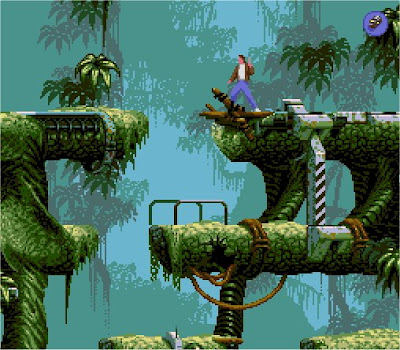
To dispel some of the myths...
You don't need any kind of formal qualification to get a game animation job. This should be the case for any creativity based profession in my opinion. If Joe Nobody applied with a 20 second reel that blew everyone away, at the same time that Mr Qualification applied... Joe Nobody would steamroll him. Even if Mr Experience had thrown in his reel, Joe would still walk away with the job.
What I'm saying is.. it all comes down to your reel ( and an interview, just to make sure you don't sleep in a coffin and eat mice ). On the other hand, there is nothing wrong with doing some kind of animation based course or degree ( I wish I had.. I did a degree in Graphic design ), as long as you remember the only thing that will count at the end of it is what's on your reel... so think carefully what you put on it.
You don't have to play computer games and know all about them. My dirty little secret at work is that I don't even own a 360 or any consoles. I don't play games so much. Its animation I like. ( of course its not really a secret, because it doesn't matter ). If on the other hand you do enjoy games and you like playing them and you've always wanted to make them.. then you don't need to worry about this part.
Its true there is the common misconception that games artists are generally good at, or know how to do all of the art related disciplines like modeling and texturing. This is based in fact, but needs to be properly understood.
In the early days of game development, teams were smaller and less specialized. Artists were hired as artists and expected to help out with animation as well as the other areas. As games have grown, the standards have risen, and the profession is now commonly driven by specialism. the type of candidate that a company looks for depends on their team structure, and is usually directly related to the size of the team ( more reason for your research ) . Companies may ask that candidates show proficiency in other areas outside of animation, but this is usually the sign of a newer less seasoned company ( not in a negative way ).
My advice on this would be to follow your heart. I know when you're a student its never clear really what you want to do in 3D, but I think deep down you know it. If its animation you love, then animate! and the rest will take care of itself. Avoid sending a generalist reel unless that's actually what you want to do as a profession.
You don't need to know Maya, Max, XSI to get a games animation job. The chances are, you probably know how to use at least one 3D package if you're doing any kind of 3D animation anyway. Just forget about this dumb myth. When I first started in games, I only knew how to use Max, but I was thrown head first into Maya. It didn't matter.
If you're a 2D animator, the "language barrier" is always there a little, but still, great 2D animation will still get you a 3D job. I would suggest at least playing around with 3D... but what am I saying.. you know this already.
I think that pretty much sums it up. The games industry is booming now, with more jobs in more locations than ever before. The salaries are great, and the positions are usually permanent with multiple benefits. In some ways, this can be a bad thing, if games isn't really what you want, and you have rent to pay.... but its a great place to start your ball rolling in animation. If you love games, love animation, and are dying to make the magic happen... then the world is your oyster my friend.
If you have any questions, you can fire off in the comments section, or send me an email.
Hope that helps.
Quick Trick: One Step At A Time
This tip comes first hand from my mate Brandon Beckstead. This guy has an amazing ability to do the kind of `progressive blocking` that we all dribble over and wish we could do ourselves if only we were that good. I'm talking about the kind of blocking where there is usually a stepped key on every 4th or 2nd frame, and you can see very clearly how the animation will look before going into any kind of curve editing. Were talking subtle finger movements, facial animation, moving holds... all there in stepped.
I asked Brandon how he approached his blocking, and he told me a simple tip that seems so obvious and simple that I can't believe I never thought of it. Basically, when you first start to block a move, forget about timing.
Yep.
When I try and block in stepped, I tend to get confused because of this approach: I block my key poses on the timeLine where I think they should happen ( the core timing ) then I work between them with breakdowns. The problem with this method is that I have to think of two things at once! I have to think of how I get between the poses ( spacing ), and also how long it takes ( timing ).
Brandon recommended the approach where you block your poses on consecutive frames, disregarding any notion of timing at the beginning and concentrating only on your posing, and how the body needs to move to get between those poses. If you need another pose to describe the movement, you just add another breakdown and work in your shapes. I tried this approach last night and I love it!
I found it useful to block my poses every 8 frames, then I have room in between to add poses as as I need them ( note ... there is no relevance to timing here... I`m not thinking about how fast things move over 8 frames - its just an arbitrary amount of space I can fit a few keyframes into ) . At this point, you are not pressing play or scrubbing the timeLine, you're jumping back and forth between your poses using the next and previous hotkeys - only taking notice of how the poses relate.
After you have your basic movement working, you then slide the keys around in the timeLine and concentrate on your timing. Now you're gonna start playblasting and pressing play. There will be tweaks and changes of course, a body part is dragging way too much etc, but the core of your movement is already thought about. This also works very nicely if you keep a key on every body part for every pose you set.
When using this approach with dialogue, I can see that there may be an inevitable stage where you have to pose your character and think about the movement whilst not in direct timing with the audio ( if your posing on regular frames.. how could you possibly match it with the audio at this stage ?) So this will force you to be confident about your acting choices. At this point, its a process of animating a little `blind`, at least until you have the core of your movement figured out. Its then that you start placing the keys where they should be relative to the audio, in the timing stage of this approach.
I find this helps separate two complex parts of animation, timing and spacing, and allows you to tackle one at a time.. which has to be a good thing. Its still recommended to pose out your story telling keys, on their approximate frames, so you can see if your broad idea is working or not - but when you come to figure out the details, the above technique can help.
In Maya, you can step back and forth through keys on your selected object by using these hotkey commands:
- currentTime ( `findKeyframe -which next` );
- currentTime ( `findKeyframe -which previous );
May 13, 2008
Watch The Eyes
When you learn about animation you find over and over being told how important the character's eyes are to the performance, and its equally true to remember how the audience will spend all of their time almost exclusively looking at the character's eyes. For me personally, its kind of odd how much I don't think of this when im animating... I tend to concentrate so closely on the eyes that I forget to watch how they fit with the rest of the body... either that or I'm looking at the shot 'wide eyed' and not seeing the details...

I think a good approach is for an animator to look right into the characters eyes when running playblasts. In fact, I think it would work too to look into the eyes of your character while posing - even if your posing the hand or foot, you can get the overall "shape" of it by looking in the eyes, then afterwards looking at that specific part and posing the details. Same too maybe if were animating the hand of our character, look in the eyes as you watch the playblast and see how the motion reads there, rather than just staring at the hand, or staring at the shot 'wide'.
May 2, 2008
Out the Other Side
If you're an artist, you've probably been through the highs and lows. You have times when you really feel good about a piece of work you did, or an animation turned out really cool and everyone loved it. There's also the times that feel crappy... the ones where you just can't get something right, or you just don't know what to work on, or you feel like you're lacking the drive to be an artist, like you're losing interest in what used to be so much fun! but is now so bloody difficult....
I've come to believe, that despite the anxiousness and doubts, the truth is we are actually at our best during these down times.
I can say 100% that I recently went through a pretty heavy down time. I've worked in video games my whole career, and I've never developed a proper approach to animation other than just kind of "doing it" and "pushing and pulling stuff around until it works" and this is because video game animation often has a very loose and sometimes non-existent direction process for individual animations. My methods became very "organic" and to be honest it was almost impossible for me to get constructive feedback on my animation work as I created it, or in fact, to even really properly evaluate it until it was finished. I'm sure this is not an uncommon problem amongst animators who are self-taught.
So I started researching and investigating different ways of animating. I looked at workflows, breakdown reels, sent emails to animators, looked at demo reels, student work, AM blogs... the whole nine yards. I also started looking more and more at 2D animation and appreciating it much more than I had before. To tell you the truth, I quickly became near obsessed with the process of blocking animation, treating each pose like a drawing, and thinking more and more in a 2D way. I could see the benefits that people were finding in working this way.. using the 'stepped key' method, and more importantly just how easy it was for them to show their ideas and get feedback in a way that was constructive. Its this approach that lends itself to feature animation, or at least to acting animation... and I really wanted to understand it and to work that way.
Oh man... I just couldn't do it though. Honestly.. it was like learning to animate all over again.. and I just found it so difficult to think about animation in this way. I practiced it at work, and at home. I threw away acting shots that frustrated me, and I started to get annoyed with animation and feel shitty that I wasn't animating the way I wanted to. I started thinking "I don't even want to animate the acting shots.. I'm good at the physical stuff"... it got a bit crazy for a while... in fact this doubt came on and off constantly for about 2.5 years. My wife could tell you how much I used to ramble on about it.
The truth is though... now I've sweated and struggled with it over and over... I now get it! I really feel like I get what blocking is about. I get when to use it and not to use it, and I understand what's important about it and what's not. I also have the best of both worlds now, because I'm confident I can take my knowledge of straight-ahead and layering, and mix it up with blocking. I have a shot at home that I'm animating in the stepped key approach and its helping me get better results than my old method would ever have got for me. I'm new to this technique so I know I still have a bucket load more stuff to learn, but the key thing is that I have my confidence back, and I'm starting to enjoy the process rather than fight it.
So what I'm trying to say is... its during these times when we really struggle with something, and doubt our abilities or even doubt our passions, that we are actually learning the most and developing ourselves more than ever as animators.
The trouble is, its super hard to see whats happening until you come out of it the other side...
When I finish this little acting shot at home, I'm hoping to post something up about the processes, the details of blocking...the kind of post I wish I'd found when I was trying to figure this stuff out.
Apr 23, 2008
Who's Your Mentor ?

As artists, we are easily influenced by our environment and the people who surround us. It's a large part of what makes us expressive. On the train to work this morning I read a small article in the paper called "who's your mentor?" and this made me realize something blindingly obvious. We all need one.
When you discover how today's great animators became "great" you see them mentioning the same thing... they learned a whole bunch of what they know from someone they worked with, under, or even supervised. Glen Keane was lucky enough to work with some of Disney's old masters, so was Richard Williams, and James Baxter was lucky enough to work under him. Brad Bird was mentored by Milt Kahl ! I recently attended a fantastic two day Pixar masterclass with Andrew Gordon, and he consistently mentioned the work of Doug Sweetland.
We are all students.
Of course we are not all fortunate enough to work in amazing studios with animators like Frank and Ollie just sitting around, but we do need to ask ourselves "who is my mentor?". It is a crucial relationship that you need as an artist to help you blossom. This individual may not even be aware that you see them as a mentor, or you may have a number of people from which you learn a great deal. What is important is to identify in your own mind that these people influence you ... and try to understand why. Its also important to realize that you may be seen by someone as a mentor yourself, and to make efforts to facilitate this relationship.
Think why it is that you look to your mentor for guidance. Is it the way they animate? is it the way they plan their shots? Is it their high level of polish? is it the way they articulate their ideas? is it the approach they take to giving criticism to somebody's work? Is it they way they inspire confidence? is it they way they make the extra effort? is it the way they talk to other artists? Is it they way they take criticism? is it the way they talk about animation?
Those of you who are not working professionally, in a studio environment, don't panic. Ask yourself - where are you finding your information? Who is delivering it to you? If you visit lots of blogs or read lots of books (like the professionals do too) then ask why is the author discussing certain topics? rather than questioning the topics themselves... where are they looking for their ideas? Don't be afraid to e-mail professionals and ask for help. Ask your mum or your wife what she thinks of your shot... I guarantee their advice will be accurate and telling.
If you're a lead or a supervisor, look to the people who work under you for mentorship. energy and passion is at its freshest early on ... and this is probably the hardest thing to have to keep alive all by yourself. I remember a great quote from Ed Catmull where he mentioned something that really stuck out to me... "only hire somebody who can do something that you can't". Brilliant.
So yeah... got me thinking.
Apr 14, 2008
AnimFood
I recently made a weird little maya script ( I have a habit of doing that unfortunately ) and I'm finding it super useful so its time to share...
Like most of you out there, I like to scout around the net looking for tips tricks and general advice on animating. From time to time you find some really great stuff, and it can be very beneficial just to take your lunch break or whatever, and read these things soaking up the info.
Its got to be said however, I find it hard to remember everything!
Over the last few weeks or so at work, I've been building a little tool that will just throw me random quotes, ideas, little nuggets of info, tips tricks, checks etc right there in a little maya window. So when I'm animating, particularly on the acting shot I'm doing at home, I have this little thing open and I click it once in a while and get some pure gold advice to keep me thinking, give me new ideas, or just inspire me to think about what I'm doing in a different way.
So the stuff in there is condensed from a number of sources, from a variety of different people just to mention a few:
Frank & Ollie,
Brad Bird,
Ed Hooks,
Carlos Baena,
Bobby Beck,
Glen Keane,
Walt Stanchfield
John Lasseter,
Jason Ryan,
and a whole bunch of other people, including a few of my own. Currently there are near on 300 separate entries to keep you going!
I will be updating the entry file for this tool as often as I can, so there is a link in the GUI where you can check to see if you have all the latest entries.
Labels: animation, animation help, animFood, inspiration, maya, maya tool, notes, tips, tricks
Mar 20, 2008
Mike Walling - Workflow
Whenever I find myself on the net looking for animation "stuff"... I'm always looking for two things
- Inspiration
- workflow techniques
On the other hand, its hard to find decent workflow explanations. I think this is mainly because of the following reasons
- It takes time to document it well. Good animators usually don't have much of that.
- Its hard to describe a workflow. much of it is almost cerebral, and difficult to fit into a structured system that can be written down. Its a very organic process that depends on a lot of varying factors.
- The validity of the explanation depends on who looks at it. Everyone is looking for different answers.
Mike is obviously very talented, and you can tell by how he describes his technique. He doesn't sweat it or over complicate it. Its supposed to be fun after all! This is why I like his page.
If you know of any other good ones, please comment, and hopefully I can combine something together for all of us.
Mike's workflow
Feb 16, 2008
Turok: Animation Workflow
So as a bit of an extension to the Turok: Creature Reel post, I thought it might be helpful to some to put a bit of info on how I went about creating these animations...
I'm not sure really how to make this a short post, but I will try my best. I feel its important with workflow posts to try and be detailed and not wash over stuff.... animation is hard!
If you are interested in how I created these sequences, then this post will try and outline in as much detail as possible how I went about it, but please don't take my examples as a definitive way of working... what works for some may seem ludicrous to others.
Setting the Scene:
- The player of the video game is stranded on an unknown planet, inhabited by ferocious creatures, deadly human opponents and a group of allies that are afraid and have little trust for each other. Creatures are deadly and bloodthirsty, and an immense threat without the proper firepower. The player is a hero character of Native Indian desent, fearful of the creatures around him, but willing to use bravery and force to dispose of them in violent ways... often at close range using only a knife.
Starting an Animation:
We are pretty lucky here at Propaganda in that we don't have rigid quota on our animations. Almost all in-game animations are scheduled 'per animation' and not based on any relevance to screen time. The Turok Creature Reel shows a few different kinds of tasks - the less intensive variety ( such as the TRex eating the small dino ) and the more involved type ( like the Lurker attacking the human player ). As a general 'window time' we based an estimate of 2 days for the simpler animations, and 5 days for the more complex ones. We were lucky in that we could usually extend the window by a few days if it needed that time to add the extra polish that we felt was important to our game... we knew that for a compelling dinosaur experience the creatures had to not only move convincingly, but appear menacing and vicious ( even if they were injured or being killed ) ... we were willing to spend the time to do this well.
As an average I would say that I probably spent the allocated 2 days on the simpler animations, but usually the reasonable maximum of 7 or 8 days on the complex sequences.
Thinking High-Level:
Before starting anything, I like to just spend a while thinking very globally about what I should be showing and what I would like to show. As an example I will discuss the animation where the Lurker is attacking and killing the human player for the most part, but I will refer to other animations to make certain points as I go along.

These are the areas and kinds of things I like to think about first ( and usually in this kind of order )
- What will make this sequence entertaining ?
- If I was playing this game for the first time, what would I like to see happen ?
- What are the technical constraints ? ( e.g ground coverage, camera placements etc )
- How can I make the Lurker move in a violent, aggressive and dominating way ?
- How can I make the human seem doomed and terrified, yet still seem heroic ?
- How will the two characters actually come into contact ?
- How will the Lurker overpower the human ?
- What will be the killing blow or move that finishes the human ?
- Will the human have a fighting chance ?
- What angle do I want to shoot this from ?
- Will the camera be animated ?
- How can I get as much movement as possible in the sequence ?
- Who is the focus of the sequence ? the human or the Lurker ?
- How can I work some decent contrast and shape change into the action ?
- How can I get some cool poses on the Lurker and the human ?
- What similar sequences have already been animated, and how will this one be different ?
- What will make someone want to watch this again and again ?
- What are the best things to draw out first, and what do I need to shoot for reference ?
- Do I have the tools to do what I need to do ?
- Am I good enough to animate this ?
- Its a fictional cross between a big cat and a lizard
- It moves like a big cat, but can also traverse trees and surfaces like a lizard
- It is vicious and aggressive, like a cornered pit bull, or threatened grizzly bear
- It hates everyone!
Talking High-Level:
I have some great colleagues at work that love to talk about stabbing dinosaurs in the head and wrestling down the odd bigger one. After pondering through the list above, I would usually throw an idea or two at these guys, act them out a bit in the studio, and get some feedback from them. Often I would get new and better ideas, or at least some decent expansion on the ideas I originally had. If they thought it sounded cool, and so did I, then it couldn't be far off.
I am not a good at drawing, so I much prefer to talk early on about an initial idea than show drawings / poses or even blocked out 3D sketches that take time to make. I would also show any video reference at this point, if I had recorded any, or had any on the internet that helped illustrate my ideas.
Bringing Ideas Together
So for the Lurker kill human animation, there were a few things I knew for certain ( technical constraints )
- There had to be a "struggle" at some point for gameplay reasons
- The whole thing couldn't be too long
- It couldn't cover too much ground, and had to take place on a flat surface
- The camera needed to feel like a hand-held, and could not make big broad movements
- It all had to be in one shot - no cuts
- The Lurker pounces on the human slamming him to the ground with great force
- There is a shape change as the Lurker adjusts himself to a good position to start tearing flesh
- The human is seen to have a last heroic effort to hold off the inevitable death by trying to struggle out of the Lurker's clutches
- In response to the human's effort, the Lurker decides to just shake him violently and break his back in a broad contrasting action
Staging and Broad Action
To be honest I really like this part of the process. After I've got a pretty fleshed out idea of what I think will happen in the animation, I try and figure out the very global movements or high level staging that will be seen in the sequence, imagining the characters as single shapes moving the the screen, and how the camera will move. This stage is all about very high level contrast and variety, but also thinking about what angles the characters will look good from ( e.g, you would want to see a good view of the Lurkers face as he bites in )

I didn't do this prior to animation, I drew this up for the post to explain my thinking - I mostly just figure this out in my head. The reason I like this stage so much is because it can really help you get ideas for what you want your characters to do... you can almost think of the high level staging contrasts first, and then think of suitable actions to make them happen... its fun, and helps go a long way towards a decent animation if you get this stage right. You're trying to keep the screen alive too as well as the characters within it. .

These are the main staging ideas for the sequence where human wrestles the large injured Dilophosaurus ( beginning of reel ). There is contrast in the broad action and camera movements.
Drawing
This is probably the point at which I should mention the overall way in which I work. I am very much a straight ahead and layered approach animator. I don't yet know how to properly plan and block out animations... I am working hard on this.
I like to animate things by getting a strong idea in my mind of what I know will look good, then I figure out how to animate it by concentrating on what are the primary driving forces, and the most important motions or actions that I need to do first in order to make everything else fall into place. I animate these things first, then I animate everything else afterwards. I do not animate everything at once, knowing exactly where things are coming from and where they are going ( like our old pal Milt Khal ) ... I am way off being that good or that organised. I really love the progressive control and feedback that blocking offers, but I love the spontaneity and immersion that comes from working the way I do.
But I do plan. Its just my planning isn't always in the form of thumbnail drawings or 2D flipbooks. Sometimes I draw thumbnails, sometimes I act things out and record it. Sometimes I just go with the flow and start in 3D ( but not often ).
For the Lurker attack, I pretty much could see in my head what I wanted to happen. I wanted the camera nice and close to the ground to emphasise the threat from the creature, and I wanted there to be a strong sense of physical connection between the two characters by using a good overall pose that kept them feeling entangled and brawlish.. almost like the lurker was 'hugging' the human... and biting into his chest and stomach. For this section of the animation I only did one small drawing that helped me summarize the kind of thing I was going for and mostly posed the two characters together in 3D until I had something I was happy with. The main problem I wanted to solve in thumbnails was the shape change and follow-through of the two characters when the human is violently dragged at the end, so I drew some stuff for that before I went to 3D:

As far as thumbnails go, I never really try and figure out too much at this stage. To be honest, this has a lot to do with my inability to draw the real details of what I can imagine in my mind.. I can usually draw the broad shapes, but then I hit a roadblock because I cannot draw out the subtle shape changes or poses that I want. Basically what this means is that I only ever really work out the main "story poses" that describe the most basic elements of what happens.... rarely any breakdowns. At this point I'm really just thinking about the kind of shapes I want to see, and from what angle. The drawing top left ( with a zero above it ) was the entanglement feeling I wanted, and the rest are just figuring out how the drag would work.
Here are a few more thumbnail sheets I managed to find for some other animations I didn't put on the reel. I wish I had some that are more relevant, but I seem to have trouble keeping stuff like that around, but at least these give an idea of the kind of detail level I take these to. Below each one I have posted a video of how the animation finally came out so you have some context


Recording Reference
I found that for almost all the animations on the Turok reel, I needed to record reference, particularly to give a much better indication of how the human would move in a realistic way. I believe when shooting for realism this is an essential part of the process - there are too many subtle and even very broad actions that the human actor will do that you could never imagine or anticipate just through imagining or thumbnailing. I find that more than anything else it is a great generator of new ideas, or it will at least prove or break an idea you already had on paper.
For the Lurker kill animation, despite what I just said, I didn't record any reference, so I can't show you anything for this. I think really I should have, particularly for the 'struggle' section, but I decided to figure this out in 3D mostly because the motion of the human would depend so much on the motion of the Lurker ( in fact, for the entire animation), but I think I could have got a better result if I had at least acted out some kind of struggle in a similar position and recorded it.
Below is an animation I decided to not to render and include on the Creature Reel because I'm not that happy with it to be honest, but it does show how I used direct video reference of myself to create the motion of the human actor
and here's the reference I recorded:
As an indication, I probably spent a good 40 minutes acting this out over and over, trying different things ( some within the basis of the same idea, and some completley new ideas ) and doing a good 30 or so tries. It seems to me like you need a good 20 minutes to warm up to what you're doing and to really get into it, and usually I find the best take is always the last one, or very near to the end.
I find it very weird as well that the ones you though were good when you did them often look crappy, and its the ones you don't remember so much that look great.
As far as using the reference, I pretty much used it as close as to what was recorded as possible, changing a few things ( mostly timing ) here and there to get the desired effect. If you're going to work this way its crucial that your reference is dead-on. I think part of the problem with this completed animation is that I think I made a bad decision on the reference I decided to use - I should have gone a lot more extreme with the idea of the human moving out of the way of the stumbling dinosaur and pushed it much more.
Blocking
I'm sure when some of you hear the word 'blocking' you instantly conjure up images of AM Mentor reels, Pixar bonus DVD features, and directors and supervisors all standing around a monitor looking happy. And so you should. I think blocking is great, I just personally find it very hard to work completely in this way ( because I need to practice more ).
I can say pretty safely for a good 4 or so years of my career I would just animate straight ahead - not frame by frame, but I would block very loosely between two main poses at a time. I would then animate to almost final between those two poses, then move onto the next two poses until my animation was finished. To be honest I didn't even know about blocking, and seeing as I am entirely self-taught, I never really thought of doing it any other way. The problem with this method was that I never really had much control over what was happening on a high level, had a hard time making changes, and had no real indication of how my animation would look until it was finished. On the other hand, my work always felt spontaneous, organic and was a real blast to create. My current struggle is finding a balance between my methods and a more constructive blocking approach.
So coming back to what I was saying before, my approach to blocking is the same as my approach to animating...I like to animate by thinking about what is most important and doing that first. when I say most important I'm thinking in this way:
- What action or pose NEEDS to happen at a certain point because it drives the story or the impact of the sequence ?
- What movements are directly driving a lot of other movements ? ( like the Lurker driving the motion of the human being dragged )
- what character is driving the execution of the staging and camera ? ( who is the primary focus of the sequence and where are they going in the frame ? )

I could not find any version history for this animation file, so the images above are simply screen grabs from the final animation. They represent more the points at which I set poses in the sequence, rather than the fidelity of the poses being set. The real ones would have been much much broader and less detailed than these. As an indication of "priority" of these poses, I felt that 1, 3, 5 and 12 were the most important for getting the staging across as needed ( i.e, these are all the poses i absolutley needed - and i spent the most time thinking about the fidelity of these poses in more detail ) all the other poses are loose indications of how I would go between these priority poses, and I would not worry too much about how these looked. I would also be setting these poses in stepped mode, and thinking about where I placed them in the timeline so they would represent a very rough indication of the timing.
I managed to find some version history of the Dilophosaurus animation, which gives a better indication of how I block things out. The scenes I recorded for the video were saved at random points throughout the time I was creating the sequence, so they don't represent exact "milestones" of the blocking I did, instead they just give an indication of the various stages.

Looking at the video above it illustrates pretty well some of the ideas behind my workflow
- section 1 ) Here I'm starting to block out the motion of the human first ( I used video ref of myself for this ). The initial poses are set up to show the basic relationships of where the characters are in relation to each other at the start of the animation.
- section 2) One of the main actions in the sequence is where the dino bites back at the human, who manages to dodge. At this point the the blocking I am roughing out the human up to this point, and also the biting action of the dino. By doing this I can properly verify where the characters need to be at the start of the animation so they end up in the right place at the point of the biting action, relative to how far the human moves forward and how far the dino head moves. I am also starting to think about how the dino will move his body forward in a lunging action that will add power to the bite ( but also affect where he ends up at the end of the action ) I am thinking more carefully about the human poses at this point but still not spending too much time on them. For the dino poses, I am still thinking of him mainly as just his broad shape, and where he is in relation to the human. The most important thing about the dino at this stage is what his head is doing.
- section 3 ) Still working from my video reference, I am blocking the human duck and jump animation. The human is leading the staging throughout the whole animation, so I work on his actions first. I know that he needs to get back on his feet and force the dino's head down by jumping on it - so there is a key point where the dino's head needs to be in relation to how far the human jumps. This key contact point means that I need to know roughly where the dino will be when the human hits the ground, so I block out this pose too ( I also start to get a good idea of how far the dino is moving accross the floor, and the cool kinds of struggly actions I can animate to make his do this ). The white dots that floating in space are a motion trail that I always have attached to the human root bone, this is most useful in stepped mode, when you are blocking out poses, but cannot see directly the relationship between them in 3D space. Using the trail I have a direct indication if the motion of his root is doing anything weird or has odd spacing on it.
- section 4 ) So this section is actually a good representation of how far I would take the blocking of this animation, before starting to work into it in detail. All the main actions are there, and technically everything works ( with regards to distances and contact poses particularly ). I also have a good indication of the staging, and can work a rough pass of the camera movement into the scene. I could also show the animation at this stage and get feedback on high level changes without too much effort.
- Some things to notice that are not blocked out by section 4 - The blocking of the human is still very loose, I'm not overly concerned about exact poses, instead just the overall feel and technical aspects of the animation. The dino has very few poses that really say much at all, at this stage the blocking is just to make sure hes in the right place, and most of the attention on him is based around his head and its position to the human. The number of stabs and the timing for the stabbing sequence is very loose, but the sense of the stabbing action is there. There is also no fancy blocking of any of the erratic movements the dino makes in the final rendered shot.
I just want to point out here that I always try and animate as much as I can in full 3D. Game animators are generally used to thinking in this way because usually every animation we do can be seen from all angles by the audience who plays the game.
When doing cinematic animation to a specific camera view, I always work primeraly to that shot as my "optimal viewpoint" but I try and make the animation work from all angles. This forces you to think more realistically about the space in which the action is taking place, and gives you a clearer understanding of where things are going and coming from. It also means that you have room to modify your camera angles and play around a bit with camera animation when you have the main character movement finished and polished up.
Starting to Refine
My approach to starting the real nitty gritty part of animating is to work in a straight ahead and layered way between the poses I have set in my blocking. I rarely go back and set any breakdowns to my blocking poses. Instead what I have are pretty solid "marker poses" that make sure my timing is basically on track, my characters are going where they need to go, and I can see ahead of time the overall picture of what will happen in the sequence... ultimately this means that I can work in the more spontaneous way that I am used to, but its much harder for me to go totally off track and end up making a mess or not quite hitting the mark as I imagined... because the framework is already there.
What I found interesting about these animations were the sheer amount of movement that affects other movement, which in turn affected the way I animated it. For example, when the Lurker is struggling with the human, the Lurker is the main driving force because hes so powerful, yet there is some force on the Lurker in the form of resistance to the human.
With the Dilophosaurus animation there were a number of these relationships:
- The dodge and duck of the human affects where the dino needs to bite so the actions seem believable
- When the human jumps and wrestles down the dino, its head is affected by when and how this jumping move takes place and how much force the human inflicts on it
- Towards the end where the dino is shaking its head and reacting to the knife stabs, this affects how the human moves because he is hanging onto the dino's head
- I animated the human first, up until the point that he has finished his jump, and is in the pose where he has the dino head on the ground and is about to stab. I took the time to work detail into these movements, getting the human feeling good and not worrying too much about the dino's body or head. At this point when I am animating anything I am not worrying about keying all controllers on every frame, or in fact being that tidy with my key frames at all, I am working in auto-key and just posing things around and keying them wherever it feels right
- I then animated just the dino's head, all the way from the beggining, through the bites, the scream, and all the way up to the point where the human is about to stab. I was concentrating on the big mass of the head because of its sheer size and importance in staging for the shot. I animated how it would react to the force of the human wrestling it down, and the initial impact with the floor. I still didnt worry too much about the animation of the dino's body, just making sure however that I didn't push the head too far beyond a pose that my rough blocking of the body could accommodate
- Once the human has the dino on the ground, I started to block very roughly the timing of the stabs... so I just blocked out the extra stabbing motions from the rough blocking I did at the start, and got the timing feeling pretty good. I didn't concentrate too much even on the human animation, I just animated the arm stabbing and got the feel for it. I did this because each stab would affect the movement of the dino head in a small way, which would affect the human because he is holding on to it!
- Now I had the timing of the stabs, I animated again just the dino's head struggling and roaring in reaction to the attack, all the way up to the point that the dino has died and the human starts to get back up again. I made sure I moved the head enough to get decent reaction from the human holding on, but also so I could get some driving body movement in the dino's body. For this stage I was loosley animating the human and the dino's body, but only loosely to get an idea of staging and broad movement
- With the dino's head struggling animation pretty much done, I could animate the human reacting to the forces, and take the human to near completion, all the way up to where he stands back up and the animation finishes. I also made the stabs fit properly to the movement of the dino's head, but trying to keep to the same timing I blocked out for them. The human is now about 90% animated, with follow through and all the details included
- Finally I did a straight ahead pass on the dino's body. I made the root move so that it kept up with the driving force of the head, and I animated the frantic motion of the legs in a way that they would also appear to push the dino to the places that it needed to be in its staging. I added reactions and squirms in the legs, root and arms to the section where the human wrestles its head down, and finally to the stabs and its eventual death. I just went with this pass by pass adding and changing as I worked through.
- I animated the Lurker jumping all the way through the air and landing on the ground using poses 2, 3 and 4 as a rough guide ( see the poses image from before ). I took this motion pretty far getting the nice timing, arcs and overlap. I was loosley posing and adjusting the human but not thinking past the main contact poses when the the Lurker initially hits him in the air, and then when he finally hits the ground.
- I then animated the Lurker jumping around and repositioning itself to get to pose 5
- After I had the main attacking action of the Lurker feeling smooth and enjoyable, I animated the human reacting to the pounce, hitting the floor and struggling in reaction to the Lurker repositioning itself. I knew where I could flail the human's legs and where he could try and grab and push away because I already had the the animation of the Lurker there and working
- I then animated just the Lurker's head biting into the human's stomach and moving around, up until the point that he just begins to drag him away. Again, not thinking too much about the movement of the Lurker's body or the human, but making sure that I moved the head enough to get some decent body movement in both characters
- Using the head movement as the main focus of the staging, I pretty much did a straight ahead pass on the Lurker's body and the human's reactions to the bites in one go. I added the weight shifting and pulling that the Lurker does mainly as a result of the range of motion on the head animation. I animated this up until the point that the Lurker begins to drag the human away
- I then animated the root and back legs of the Lurker performing the shaking and dragging. I very roughly blocked the chest and head of the Lurker, and some poses for the human just making sure that I wasn't straying too far from the main story poses, and technically that I was covering enough ground to drag the human far enough and keep the staging as planned
- Once I had the main root and back leg motion for the Lurker in the dragging section, I animated the chest, front legs, and head of the Lurker reacting to this driving force
- I then animated the human being dragged, using the head as the main point of force
- Finally I did a straight ahead pass on the limpness of the human at the end, and the final lunge of the Lurker
During this stage of animation, I am usually trying to get visibility and feedback on what I'm doing to make sure anyone else that sees it is getting the entertainment factor I'm shooting for, and making any changes that are not too destructive or time consuming at this point.
Polishing and Taking It In
As a final pass on my animation I will go through and add motion trails to most objects and get the arcs feeling smooth and organic. This tends to make a huge difference, and you see improvement in areas you didn't even notice had any problems. I love motion trails.
I then spend a little while cleaning up curves. Nothing intense at all, just making sure there's no weird flat tangents or spiky sections. To be honest I only usually spend much time in the graph editor if I need to solve specific problems with acceleration or deceleration, or technical problems like locking down movement between duplicate poses by setting flat tangents etc... sometimes its impossible to get the kind of precise or complex movement you want without pulling around some curves.
I then play with the camera a little, changing the shot and framing a bit here and there to find the best way to shoot the action ( you get to do this if you work in full 3D as I mentioned before ). These are not vast changes at all, but can make dramatic improvements.
I then sit back and watch the animation over and over. I do this to look for 3 main things
- Do I need to change and poses or timing in any way to make the sequence better ?
- Where can I add subtle movements ( reactions in all animated objects to forces and actions smaller than the main driving forces) to make it more believable ?
- Do I need to globally adjust or modify any poses or animation to get a better result ?
- Does this entertain me ?
So... if you managed to hang in until the end, you have my congratulations, and I hope you found at least some of that interesting or useful. Please post any questions you might have or fire me an e-mail.
Its good for me to write this stuff because it helps me clarify things in my own mind too...
Feb 11, 2008
Turok: Creature Reel
Above is a YouTube of some of the work I did for the 360/PS3 release of TUROK here at Propaganda. All the animations are in-game events, but I set them up in sets and rendered them out in a cinematic way to make them more presentable.
Turok was an interesting challenge because I came from working entirley in a `cartoony` style on various projects, to the much more realistic approach that this game required. I had always wanted to animate stuff like this, so I was totally up for it. I am still surprised with ultimately how similar the two approaches are, particularly with how exaggerated you can go with the movement of the creatures. The realistic human animation I found the most difficult, and used video reference frequently to solve a lot of the problems I encountered.
You`ll notice that the characters are all segmented. I wanted to show the animation on the original proxies as I feel it best represents my original vision. I kept everything grey because I simply don't have the time to get all the textures and shaders etc up and running.
I was responsible for all direction, animation, lighting and rendering. All rigging by my esteemed colleague Javier Solsona. Modeling by the Worlds team. The audio mix I did myself using sound samples from the game, and a sequence of in-game music.
I will post up a few things soon about my planning and workflow for those that are interested.
Labels: animation, Cameron Fielding, cinematic, creature, dinosaur, game animation, in-game, javier solsona, ps3, Turok, xbox 360
Dec 18, 2007
Quick Trick: Less is More
With physical animation, always remember that the body ( be it human or otherwise ) is a machine, run by a brain, that is obsessed with efficiency.
The human body likes to use the least amount of energy possible to do anything. Thats why we almost fall over every time we take a step, because evolution has enabled our brains to understand gravity, and use it to our advantage in everything we do.
A good way to show this in animation, is to try and take the least amount of steps possible if we need our character to do anything. If they need to turn around, or stand up, or walk over and pick up a bunch of flowers, or do a run up before jumping out of a window... use only as many foot plants as you absolutley need. Your poses will look better too with nice wide and clear contacts, and your actions will be stronger.
If you're having trouble technically with the footplants ( e.g, the distance is just too large, or the foot needs to reach an akward pose ) try these ideas to help:
- Can you shorten the overall distances if need be ?
- Try sliding the feet a little ( this can really add to the organic feel sometimes )
- Try a very small hop ( just a small bit of airtime on both feet )
- Change the timing on your main action to allow the foot to plant without stretching
- Remember to pivot off the tips of the toes when fully extending
- Twist, swivel and roll the feet. They are extremely versatile
- The audience probably isnt looking directly at the feet... cheat
Labels: balance, distance, efficient, energy, feet contact, steps, walk cycle
Quick Trick: Feet First
So... "Feet First" ... ok...
What this post is about is a quick way to ground an animation with a sense of weight and force, and then worry about all the other parts after that. I'm trying to explain the idea of "contact points"... the point(s) of the character's physical structure that are generating momentum and push. I like to concentrate on this early on in animation, and it never lets me down.
For a start its always good that when you come to "animate" your scene ( as opposed to the blocking stage ) to start with something first and get it feeling solid. Animation is just way too hard anyway, without trying to think and animate everything at once. As an example, many animators will start by working detail and smoothness into the characters main movement point ( usually the "root", e.g the hips or the waist of the character ) because it makes sense to do that as the root is often first to drive a full body movement... and the rest of the body will generally inherit movement from this. This is a pretty basic animation concept, and a good one to use.

Work "from the top down"
But where is the "top" really ?
What really leads the movement? ok.. so really its the thought, the motivation, all the cerebral stuff, and this could go pretty subjective because it can depend a lot on the scene and what the character is doing, but I find that for physical animation, a lot of the time its the points of contact that lead the action! So most of the time its the feet, or maybe the hands ( if your character was doing push ups for example ) or the elbow if your guy is leaning on a bar.
If you think about it, the root of the character cannot actually move itself. when you twist your hips, you're using mostly your legs to do this. When you shift your weight, your hips might appear to move first and drive the movement, but really that movement is being generated by the legs and feet!
The root can only move itself if the legs stop pushing, there are no other points of contact ( e.g no bar to grab onto ) and gravity brings the root downwards.
If they're not leading a direct movement, they at least drive the overall weight and grounding of a character that is very important to get right in physical stuff.


As a working example, I recently animated a pretty complex action, where a guy is lunging forward a few metres and supposed to be not very firm on his feet and a little lacking in confidence. I wanted to get the feet shifting nicely and that idea of him "catching himself" almost as if he was just about to fall over.
So I blocked all my main poses first ( I actually used each new foot plant as a key, then I set a breakdown between each plant ) ... then I jumped straight in and started to animate the feet and the root, and took them both pretty near final. Once I had that working, with a nice sense of timing and weight and force, I could have fun with the rest of the body. Its not just because the feet movements were important to this animation, I would also do this if there were only a few plants or a simple weight shift.
For most physical stuff you will find that if you animate the feet and the root together, get the timing and weight feeling right, then its much easier to animate the rest of the character, because the main driving forces are established and already working.
So...
Working between changes in contact points sets up good "markers" that you can work around. You know that's where key forces are either constant, moving to, or moving from.. and a lot of the nice overlap and subtle stuff that you like to animate are direct results of these changes... so start there.
Aug 6, 2007
Four Legs are Your Legs!
Well.. after a lot of headaches and hard work, Goosh has released an new quadruped rig that is freely available for download from Highend3D.com ... if you're going to Siggraph this year, make sure you check out his three part masterclass, that will give you a priceless insight into how it was created.
I worked closely with Goosh during the development of this rig ( despite the fact he did all the work of course ) and I can guarantee you he pushes "animator friendly" and "functionality" to the limit. He is constantly looking to give the animator all the control he needs - whilst seamlessly removing the brain ache factor for you in the background.
Go download it and have a play around. The link below gives a little more detail on what you're getting ( there are a few minor restrictions )... but check it out and be sure to post comments about what you think!
Advanced Quadruped Rig
( yeah I know I used this animation before on this Blog - but come on.. this one's rendered ! )
Labels: advanced, animation control, four leg, free rig, goosh, javier solsona, masterclass, maya, quadruped, quadruped rig, rig, siggraph
Jun 11, 2007
Surprise !
I saw a pretty unusual YouTube video today. Kind of funny, kind of cheesy, but great for that reference that is really hard to come by. There are some golden little moments that you just simply don't see that often... but may have to animate!
This guy comes onto one of these American Idol style talent shows, and does something that nobody really expects. The reactions from the judges are priceless, but also his own gestures and mannerisms are great to watch.
Watch the video, then I`ll point out a few things that really stood out to me. I suppose these things can be interpreted any way, and are pretty subjective, but its all research in the end !
Try not to be distracted by the ridiculous voices of "Ant and Dec".
- ( for some reason embedded YouTube puts the time scale in remaining time )
- -1:42 - This is my favourite bit. The female judge ( Amanda Holden ) is genuinely shocked and amazed. The way she holds her hands together after finishing the clap, the half laugh, and the little blink of disbelief. She is truly touched, and its a nice little moment of genuine femininity ( compare to the relaxed but impressed male reaction of Simon Cowell to screen right ) . Its almost like she has to hold the moment in her hands, because she cant quite believe it! Compare this too with her contrasting attitude at -3:50 the difference is huge! at this point she is a little condescending ( the way she quickly looks him up and down, frowning, not particularly impressed by his appearance ), then a few moments later her attitude is transformed completely.
- -1:24 - Another great moment. Watch Simon Cowell's eyes and mouth after he says "fantastic". He really shows a number of things here. Firstly he is clearly humbled by the performance, but wants to retain his professional image and tries not to show it - but twice he looks down briefly and coupled with the blinking he gives this away. The fact that he smiles through this "submission" and also squints very slightly, shows how much he likes this guy, and not just his performance. Its almost like hes thinking "you just did something I could never do, even though I`m supposed to be judging you on it...". The way he holds his hand under his chin is like he's trying to raise his head, to keep his humility - in a "keep your chin up" kind of way. Very subtle stuff, but incredibly powerful if we could harness it and use it in our animation.
- -1:04 - This one is interesting. After she finishes saying "diamond" she does a slightly elongated blink. This is because she realises that shes actually said something a little stupid. Shes waiting for the reaction from the audience, and when it doesn't come immediately, a little tinge of embarrassment is seen, just in this single slightly lengthy blink.
- -3:12 - Back to near the start again. I like this little bit because it shows uncertainty and doubt in the guys eyes. After he sings the words "nessun dorma" ( or really at the start of "dorma" ) he does a very quick look down - I presume at the judges, and then quickly sets his eyes back to his little comfort zone that he clearly locks into right at the start of his performance. He is nervous here and wants a little token of reassurance. Its quick, but its there very clearly.
- -1:46 - Sorry to jump around. I like the change on the guys face as he realises his fate is in the hands of the judges. At first he taking in the applause, smiling, and recovering knowing he has done all the hard work - but then quickly breathes out and straightens his face as he realises he must deal with what is said in the next few moments. He also does a little nod, a little gesture of reassurance to himself that it will be ok.
- -0:36 - Look closely at the faces of the judges as they watch him walk off the stage. Once again I like the expression on the woman's face, and her body language. She has her hands flatly down on the table, which is kind of odd, but interesting. Its great too they way they all track him with their heads and not just their eyes as he walks off.
I think these subtle and hidden moments are much more powerful than any of the reactions, they edited together on the actual show. For instance the "half crying" and "face wiping" that the female judge is shown doing, says far less than a single pose that she holds around -1:42.
Anyway... I`m sure there's loads of things, of all different kinds you could pick out of any footage , I just thought that little clip had a nice set of unusual mannerisms and gestures I wanted to remember.
Jun 4, 2007
Easy Move
When using the translation manipulator, I sometimes get annoyed with how it can make you work a bit too hard to get your object where you want it. I tend to use the world space setting, because I find if I use object mode, its too restricted by the orientation of the object, eg:

If I simply want to move the character in his forward direction ( Z - blue ) Its easier to use world space setting because if I use the object mode ( that does have his "true" Z forward axis ) then I end up getting unwanted upwards translation as I move his hips forward because of the rotation of that controller.
World space is good, but it also has its problems. If I want to move the object along an axis that isn't aligned to the world, I have to do as many as three separate movements, e.g

So in this example I have a character climbing up a ramp. The ramp is at an angle, and not directly aligned to the world. I need to translate the characters hips in the direction of the arrow, so I can start posing the next key of his climbing up animation.

You can see that both world and object ( local ) settings are pretty useless because they don't represent the broad direction of movement that we want the character's hips to travel in ( i.e, they don't represent the orientation of the ramp ). In this case, using either world or object mode, I would still have to modify X Y and Z to get my hips where I wanted them for the next pose. I could use the square in the middle of the manipulator, but this does a "screen space" translation, and I find it hard to work with because I cannot drag a specific axis. The feet also are at arbitrary rotations, so they also have exactly the same problem as the hips. It seems like a lot of work translating objects around in this way.
This is where the script becomes very useful. I can set an object that I use to represent my direction of travel.. or something that describes the overall "direction of movement" that I'm animating in:

So here I've made a locator that represents the direction that I want the character to move in.
I can then use this locator as a reference to override the translation manipulator on whatever object I now select.

So now I have a manipulator that represents the direction I want to translate my objects in. Its easy for me to simply translate the Z axis and have my character travel forwards, upwards, and in the direction of the ramp all at the same time! this is now set for every object I select - so it will be the same for both feet in this example. I can even select all objects ( the hips, and both feet ) and slide the whole character up and down the ramp...
If I was animating this little sequence, I could use the locator as a "translation reference" for pretty much all objects, for that patricular "climbing" section of the animation. Once the character gets to the top of the ramp, I could change the position and rotation of the locator to match the broad direction of whatever move comes next, and so on... its much easier working this way...

There is also an option to use a custom "screen" oriented manipulator, that allows you precise control over the axes. You may want to use this if you simply want to say pose the translation of the hips a little higher in a 2D way relative to the frame - without having to worry about any orientation already on the hips.
The script has a simple four button UI that lets you switch between world, reference object, and screen space translation, and also a button to tell the script which object you are using as your reference object. You can assign each mode to a hotkey if you prefer using the following commands:
moveObjectRel "UI"; - launch the script with the UI.
moveObjectRel "screen" - perform a screen relative translation.
moveObjectRel "object" - perform an object relative translation ( like in our example ).
moveObjectRel "setRef" - tells the script the selected object is your direction reference object.
moveObjectRel "world" - set the translate tool back to its default world setting.
You can grab the script here: moveObjectRel.mel
Labels: alignment, animation, axes, axis, character, local, local space, manipulator, maya, moving posing, orientation, screen, translation, world space
Jun 3, 2007
The Power of Pyramids
The power of pyramids ? whats he talking about ?
I've been wanting to write a post about this for a while. Its something that I think about, and use, every day when animating - but to be completely honest I don't fully understand it, so this post will serve as an exploration of this idea, rather than a hard set 'technique'. Bear with me as I try and clarify this in my own mind too... ;) I will try and keep all observations at objective as possible.
Ok... so I'm sure we've all heard of "poses" and "lines of action" and their massive importance in animation, but something that I like to include in my thinking is the idea of creating solid shapes.
There is a very common shape that we all use often - the curve. Its nice to contrast between backwards and forwards curves in our poses, and also straight against curve. I love these tools, but really I don't so much regard them as shapes. To me they are still lines ( but not necessarily "lines of action") .
I use a particular shape over and over, and it repeatedly helps me define strong poses and dynamic shapes.... the pyramid.
So check out this image below. I'm sure you've seen it once or twice before...

Something strikes me about the pyramids. Ignoring all the stone, and the sheer scale of these things - the shape itself says a lot about weight, stability, pressure and origin ( or direction ).
the tips of the pyramids look light and are supported high by the wide bases that seem firmly planted on the ground. You can see the "direction" of the weight, i.e, it becomes heavier as it approaches the ground, and the heaviest part of the pyramid is right at the bottom. A single 2D pyramid also has two straight lines that contrast against each other in their direction of travel. They also have a built in way of naturally leading the eye to a particular point, at the tip of the pyramid.
If we look at pyramids of different proportions - it seems the same ideas still ring true, but with varying strengths (i.e the tall thin pyramid still has the same 'feeling', but the short wide pyramid feels much more weighty and planted to the ground )

If the pyramid is turned upside down... something interesting happens. It seems as if the point of contact on the ground is an area of high pressure, supporting a strong weight above it. The shape of the inverse pyramid points downwards and amplifies this pressure. There is also a strong sense of balance and equilibrium when the pyramid is seen this way around.

It also seems that the pyramid can be distorted - yet still retain the same visual ideas.

So, there seems to be a subliminal strength associated with the pyramid... and we can tap into that shape, and use it in our poses.
Application to posing characters, and its effects...
Below I have taken a number of images from around the net that I feel illustrate this idea in different ways. They all use some kind of pyramid shape, that helps to strengthen the attitude of the character ( click on the images to view them more clearly ).

The blue pyramid shows the direction of the wolfs attitude, and places his weight back behind his head, and plants his overall shape firmly on the ground. In a sense it summarises the broad pose. The red pyramid shows the pressure exerted on the small paws of the wolf, at the point at which they meet the floor - illustrating the weight of the creature, and the energy needed to counter the weight as it travels up into the chest and shoulders. The red pyramid also suggests a feeling of careful balance, inertia and poise - that lends a certain natural anticipation to this image.

I can only really see one pyramid in this image - but I think that's reflective of the power and straight forward nature of this pose. The pyramid plants the characters feet and weight firmly on the ground, and the edges lead our eye to the point of interest - the hand that is delivering the force of the blow.

The blue pyramid describes the weight of the character - and the direction of the attitude - the tip also leads our eye towards his face. The red pyramid is the interesting one in this example - the bottom tip ( at his elbow ) shows the point of pressure as the character leans his body weight to be supported by the chair. His upper arm creates one side of the pyramid - but contrasts a little oddly with the relatively straight edge that runs up his forearm.. is this why he seems a little off balance ? like hes not quite leaning on his elbow ? almost as if his pose is a little forced ? maybe I'm being too subjective now.

In this instance the red pyramid describes the broad attitude, and leads the viewer towards the left foot, which is also the point of pressure as the character bears down her weight to take the next step. On its own, the red pyramid is a little off balance, and by itself it would seem as if she might fall backwards. The blue pyramid solves this problem by grounding her weight between both legs, and providing support for the tall pose.


These images are interesting in comparison because the top red pyramid seems to describe a pose that is off balance. Despite the fact that the character's feet are firmly planted on the chair, all the pressure is concentrated in the small area of her feet, and there seems to be no blue pyramid to provide any grounded support. The red pyramid also seems to be off balance - making the overall pose seem tall, un-centered and looks almost as if she may fall at any moment.
In contrast, the second set of images has a strong blue pyramid. despite the fact that we can't even see the characters feet, we have enough of a strong shape there to show that the pose is firm and stable.

As a last example - this pose is interesting because it seems to have a blue and red pyramid working directly together. The red pyramid shows the downward forces of the body, coming to a high pressure point at the feet, taking all the weight from the hips. This alone could possibly seem off balance, but the upper body pose can be summarized with a blue pyramid that works to produce a harmony. Together the two shapes seem to describe an eloquent balance of forces, that could be used to nicely describe the attitude of the female character.
So I hope its not just me, and these things really are going on in these images. I find it useful to think of these shapes when I animate, because above everything else - they seem to provide a certain approach to the aesthetic stability of the character - but can also add that extra uncertainty or anticipation when the shapes are not balanced, or deliberately jarring.
Keep your eyes open and maybe you'll see some of these... Drop me a mail if you know of any more!
( oh yeah .. and I did realise after a while... they're triangles not pyramids.. but then where would the catchy title be ? ;) )
Apr 20, 2007
Quick Trick: Gimbal Lock... Just Ignore It ! ( with a little help from Maya )
To tell you the truth, despite the fact that I am pretty well versed in the technical side of 3D animation, I never really fully understood exactly what gimble lock is. As I understand it, its when one or more of your controller's rotation axes become "locked" or "stuck" ( or more accurately - stuck on a plane that no longer properly represents the direction of that axis ):

Time and time again I hear animators moaning about gimbal lock, and I am used to seeing many bizarre and long winded approaches to solving it scattered around on the internet. My solution to this odd problem is simply to ignore it! Gimbal lock has practically never been a problem for me, and here's the quick trick to show you how:
Broad workflow technique, and what rotation manipulator you use is the key...
When I first started in 3D animation, I had only a very small level of 2D experience, and none of it professional, but I thought in a 2D way. I still probably don't think 2D enough from day to day, but I never made the mistake of thinking about 3D animation as separate channels of X Y and Z. Many animators do however. They spend too much time worrying about organization of keyframes, only changing the X rotate value if thats all they need to do, and not keying the translation for example if they don't need it on that frame. In my opinion this is a strange and analytical way of working, that takes longer to manage, and takes away from the core experience of animating. I don't care what channels are keyed on what frame, in fact I deliberately key all the channels on an object when I'm finished posing it.
The nuts and bolts of this workflow is that I never use the gimbal rotation mode for my rotation manipulator. I always work in local mode, and Maya is great because its still doing the same mathematics behind the rotations, but its always giving you all three axes to work with, and never locking them. The gimbal rotation manipulator is for people who like to work in the analytical way - they only need an X rotation so they only rotate the X axis. With Local rotation mode setting, you can still only rotate the X axis, but maya will rotate the other axes also ( unnoticeable to you ) so you don't get axes stuck on top of each other.

Its a mystery to me why some people choose not to work this way. I suppose its easier to manage your curves if you only have keys you specifically set, and easier to cleanup and make changes. On the whole, "keyframe messiness" has never really been that much of a problem for me. I like to concentrate on the performance, and if I have specific areas of keys that I need to clean up or delete, I just do it then as I see fit. I'm not saying its wrong or "dumb" to manage your keys so carefully, I'm sure lots of animators are very happy this way and have their own solutions to gimbal lock... I'm just giving an example of a workflow that has worked very well for me.
Euler Filter - your best friend when you work in Local mode...
So what happens when gimbal lock happens in Local mode ?
When you work with Local mode, you never really see gimbal lock happening - in that you never see the axes getting stuck, but you occasionally see the result of a rotation calculation not going entirely as planned, because gimbal lock is under the hood causing problems. See the image below:

I just want to take the arm and rotate it around the Y axis ( green ). I also rotated just a tiny amount around X and Z.. but the main big rotation here is in Y. Notice that after I have rotated into the new pose, my rotation manipulator is still giving me full control of all 3 axes.
So from the images above, you would expect the arm to do a nice clean sweep from the first pose into the second pose. Most of the time that is what happens, but occasionally this happens:
Strange ? yeah. Well its not what I wanted at least. It seems like the arm is going through the torso, and doing a slight weird twisting at the same time... you must have seen this happening before in your animations.
When I first started animating, I used to go in and add inbetweens whenever this happened to fix the problem... it used to really annoy me, because I had no understanding of why it was happening. This is gimbal lock going on in the background, and because you're using Local rotate mode, its kind of "hidden" from you by Maya.
This is where the magical wonder that is the "Euler filter" ( pronounced "oiler" ) comes into action. Maya takes these rotation curves that have become entangled, and reorganises them so we get the rotation we originally wanted - effectively completely solving the gimbal lock problem in one mouse click.

After applying the euler filter, the rotation of the arm is exactly as we "planned" it to look when we set the original poses. There is probably some pretty intense mathematics going on here, but luckily we don't have to worry about that!
So if you choose to work in a certain way, you can effectively just ignore gimbal lock and concentrate on your animation. If you ever see weird interpolation happening on your rotations, just apply the euler filter, watch it fix itself, and carry on animating!
Labels: curves, gimbal lock, interpolation, keyframes, local, lock, manipulator, math, rotation, workflow, X, Y, Z
Apr 7, 2007
Quick Trick: A Simple Approach to Overlap
There is a quick trick that helps you to think about overlap in a structured way. I'm not saying when or where to use it, I just mean the technicalities of where body parts should be at what time, depending on movement. Its only a quick trick and so doesn't by any means create beautifully complex ( or accurate ) overlap, but it does give you a good starting point to work more detail into.
Ok so here's the tip:
This a simple chain of cubes animated with joints ( only the first joint is animated ). There is translation and rotation movement that we will need to figure out the overlap shapes for. ( note this is just a chain of cubes to show the idea clearly, normally we would be doing this on a spine, a head, an arm, a tentacle, a limp body part... anything! you get the idea ):
The basic idea of this tip, and the foundation that makes it all work, is to set keys on the whole chain when it changes direction. So if you look at the video below, I added a motion trail to show you the path of the boxes, and you can clearly see the places where the direction of movement changes. So at these points, I am not setting any poses or changing anything - just simply keying all the joints in the chain in a relativley straight pose. On the section where the chain is "flapping", I am doing the same thing - keying the whole thing when it starts to flap in the other direction. These are the "marker" keys:
Now to start the overlap, all I have to do is to set "drag" poses between the keys I already set. So I am thinking about how much the chain will bend depending on the force, thats all really, and putting this pose half way between the marker keys I set already. You can see that pretty much straight away the effect is starting to look good ( note that in these poses, the whole chain is keyed too, just like a marker pose ):
For the final part we now go and alter our marker keys. The idea is that really they would not be straight at this point, the last few joints in the chain would still be dragging a little. So all I did in this example was added a bit of lag to the last two boxes in the chain, on the marker keys. This adds the final bit of polish. Note that I am not adding any extra keys, all we are working
with are our original marker keys, and any keys we set halfway between each marker key:

A few extra points:
So the best thing about this is the workflow. I spent no more that 10 minutes on this example, and the overlap is clean, fluid and the keys are simple and organized. I also didn't have to get too confused thinking about force and drag, because the marker keys serve as a "reset" point to stop things getting jumbled. Its good to note that what makes this work well is good "halfway drag poses", and careful reposing of the last few joints on the marker keys for the final pass.
This is meant to be a quick method, and is not really applicable for very soft things like cartoony tails or hair - or things that have a lot of drag. However even for these situations it serves as a great starting point. I tend to use this method on torso overlap, head overlap and generally for showing weight across the board. Of course, the amount of softness or overlap is decided by you, and will depend on how carefully you pose your halfway keys and how you modify those marker poses at the end.
Just to mention quickly - the "marker" poses that were straight in this example do not have to be straight in animation. Your character will often be doing an underlying action, and your marker poses will not be straight. The key thing to remember is to key the objects at the point at which they change direction... thats the basis of this idea.
Apr 6, 2007
Quick Trick: Tap Your Timing !
I created two hotkeys that enable me to alter the duration between keyframes in the timeSlider. So say I had an action that hit a pose on frame 17, I can use these hotkeys to change my timing one frame at a time, so I can see how it feels when it hits on frame 15, 20, 23 or whatever really quickly and easily ( without having to select keys, slide things around in the dope sheet, or move keys around in the graph editor ).
here are the hotkey commands:
- // add a frame ( I have this assigned to the + key )
timeSliderEditKeys addInbetween;
- // remove a frame ( I have this assigned to the - key )
timeSliderEditKeys removeInbetween;
Quick Trick: Moving Holds.
Well.. moving holds are something you should never underestimate.
A great place to see moving holds ( and the first place I ever noticed them ) is in 2D animation, particularly disney stuff. Its pretty simple:
A moving hold is a slight and slow change in pose over a number of frames. They are mostly used to keep a character alive slightly when the pose is essentially "static". Imagine a movement like a head turn - its sometimes best to let the head keep moving in the same direction just a small amount after it "stops"... this is good to avoid any completely still body motion that always looks dead in 3D - but also to serve as a nice soothing contrast to the relatively fast movement before it.
Moving holds work particularly well on full-body poses. They can really set off an attitude, or soothe the eye after a quick pose change, and give the audience time to read a gesture. They also make the character feel a lot more organic. Unfortunately full-body moving holds are some of the hardest to do because there are a lot of controllers that you must animate very subtlety, and each controller must be a slight continuation of its own unique direction of movement. This quick tip offers a few solutions to this problem.
So here's where the quick tip comes in ..
- First off... try and use moving holds wherever you can. I don't mean use full body poses all the time, or your characters actions will seem way too pose-to-pose, but rather just try and use the concept down to a micro level on body movements. So if those fingers spread out quickly, just let them bounce back a bit - then drift very slightly with a nice moving hold. If a character blinks, put a tiny moving hold for a few frames just to cushion the eye lid back into its "rest" pose after it opens again. We're tyring to avoid things looking "mathematical" or "mechanical" and moving holds can really help with this.
Quick and easy way to make moving holds ..
- First off, here's a simple hand gesture. Very basic, but a good medium to show how a moving hold can help your animation, and a good example to show how to do it! So the hand is simply going from one pose at the start to another pose at the end. There is no inbetween right now, but we can use a moving hold to make even this basic movement seem a little more organic:
- So one way we can start to make a moving hold is by duplicating all the keys of the last pose say 20 or 30 frames later. With spline interpolation, you will get an "overshoot" of the pose, then a small bounce back, we can use this as a starting point for a moving hold, because we are getting a pose "for free" that already includes all the continued movement of the controllers without us having to do much:
- So if we look at one of the curves in the graph editor, we can see that a good pose to use is the pose at "the top of the curve", just before the curve begins to bounce back. This is the point at which the controller has continued its momentum, but then come to rest. We can now set an inserted key ( setKeyframe -i; ) on all our controllers at this point. This will give us a pretty basic, but passable moving hold - without much work! You can vary how extreme, or how long the moving hold takes by experimenting with where you set that duplicate key ( a duplicate key 5 frames later will produce a different hold to one 50 frames later ). This isn't a great moving hold by any means, but the video below shows how we can very quickly soften that final pose, making it a little more organic. Essentially what we are doing is "easing-in" to a final extreme pose.

- So as a final example, I worked some better poses and a few inbetweens to this hand gesture. Here is the animation without a moving hold. Notice how when it reaches the final pose it becomes very static and appears pretty lifeless:
- By using the previous method as a starting point, I created a pose to cushion into, that will create the moving hold. Now the final pose has a little drift, and feels more organic:
A problem with this method:
This technique is great for making holds quickly. If you like to work straight ahead or layered - you may find this pretty useful. If however you like to block all your poses, this technique will fail slightly because you are using a pose that is made for you by the computer. A different way to make a moving hold where you set precisely the pose you want at the end of the moving hold is like this:
- Set your start pose ( in this example on frame 1 )
- Set your end pose ( the pose that will be the extreme at the end of the moving hold - say frame 20 )
- Set an inserted key on all your controllers on frame 17
- Take the pose on frame 20 and shift it all the way back to frame 40
- You should now get a gentle drift from frame 17 all the way into frame 40
- Set your curves to "plateau" on all controllers on frame 40, this should soften the drift a little
- Experiment with where you set keys ( eg 17 ) and where you move them to ( eg 40 ) for different results.

There are many ways to make moving holds. These are simple quick tricks, and most of the time they work pretty well for me. Moving holds are actually pretty difficult to do well, because getting that soft gentle drift into the extreme pose can involve a lot of tweaking curves. Hopefully these methods will give you something to chew on if you've been wondering about how to do this.
Mar 29, 2007
Say Hello...
Soph is doing fine. I can't believe the courage, determination and patience that come so naturally to her. I am so lucky.
Anyways... check the pics, and think of me when you need inspiration for: "guy enters room, doesn't do much except mumble something about nothing, and look afraid of his own shadow" ...

Just a few minutes old !


Getting ready for feeding time !
Feb 15, 2007
In the Works 1
This is gonna be the first real thing I create by working with a properly planned approach. I usually just dive into my animation, working layered and just letting stuff evolve from a loose idea in my mind. This is different. I've planned this thing out pretty detailed with thumbs, and I'm going through blocking my story poses now. To be honest - because I've never really blocked before - it taking me bloody ages. Can't wait to finish the blocking and get stuff moving. With hindsight though, I can't imagine how I would ever do something like this without blocking poses - its too complex otherwise.
It's super proxy right now - the background is totally temp, and the characters are deliberately low detail ( they're actually the same rig ). The grabs below don't really tell the full story at all - I`ve left a fair few chunks out - including the ending, but you a get a rough idea.
I really want to go for subtle animation in nervous versus confident body language, and the contrast between teacher and student. I`ll keep it comedic with broad and quick actions to spice things up a bit, and add some flair.
I plan to fully animate, render and audio track this little monster.. as well as set it all in a nice environment, so if you are reading this keep watching as I work towards finishing it.


Feb 6, 2007
Dont worry... Be Thinky !
We've all been told over and over you must plan your animation. This is true of course, but I find no matter how much you think things through - there are always details left out, and spaces that you would prefer to leave to "evolve", after all that's part of the magic of animating... but these are precisely the bits that make us worry !
When I find myself worrying I'm often asking myself these questions:
- Does this bit fit with the rest of the shot ?
- Is there a more interesting way I could do this ?
- Is this action entertaining enough ?
- Does this really contrast to show any character ?
- Is this cliched ?
- How am I going to get this character to move to where he needs to be and look good ?
- Is this going to disrupt the pace of the shot ?
- Is this actually going to look any good when its animated ?
- Is my point going to be clear enough ?
Get away from the computer, and think objectively about what needs to happen. Its SO EASY to worry and waste an evening scrubbing back and forth through your poses trying to think of what could happen, or what should not happen. Just going over and over what you've already done.
The only real way to solve this is to get a pencil and paper and just have fun thinking about what would be really entertaining at that point.
These are the basic idea generators:
- What is the character thinking at this point ?
- What would I like to see ?
- What does it look like ?
When you have a good basis, you can extend the idea to how your character on screen would act, and not yourself, but getting your own acting down first is the crucial step.
what about creatures / monsters / animals ? ( basically things that dont look like you ! )
All of the above still work. You will find that getting video reference of similar animals will help you a lot, just because you will see things you didn't think of or expect. I usually find that just taking the time to imagine myself in the creatures scenario is enough to generate ideas.
So that's it. I find that if I follow these three steps above I usually come out the other end of a frantic "worry fest" feeling much more confident, and with good solid ideas of what to do next. The most surprising thing is that its often clear as day what the right acting choice is, just because exploring by acting out ( in your mind or on video ) lets you understand what happens naturally, and not just pondering on what "moves well" or what "fits" or what will "look good".
Jan 22, 2007
Quick Trick: Push Off !
Well, seeing as this is an animation blog - its about time I posted something up that actually moves. Well here goes. The video link below is a walk I did recently, mosty as a test for a new rig my super talented colleague Goosh is currently working on, but also something that I can use as a good medium to discuss a certain aspect of walk cycles that commonly gets overlooked.
This was really fun to animate. It`s not "true" quadruped locomotion, as it was difficult to accomodate the large stretch of the back legs with the front legs that are shorter and still retain a nice feeling of timing and contact.
First off - this isn`t by a long shot the worlds greatest walk cycle - in fact its pretty run of the mill, but something that I see time and time again in 3D walk cycles is the lack of a good "push off" in the feet, and believe it or not I see it over and over in most CG features.
What I mean is this - as the foot travels backwards in contact with the floor, and begins to get ready to lift up and travel back towards the front, there is a subtle but very important rotation that travels from the ball of the foot and through to the toes. The mechanism for this movement, and the logic behind it, is that the foot tries to retain contact with the ground as long as possible, essentially rolling the foot as far onto the toes as it can go without looking stupid. The body uses more energy to lift the leg through the passing position that it does keeping it planted on the floor.
Many animators overlook this push off, and start to bring the foot back towards the front with hardly any rotation from the toes. It still works, but the feeling of weight and locomotion gets diminished.
We often hear as animators how important it is to show "contacts". This is so true, and good contact poses will be integral to selling a feeling of weight and interactivity with the world. But "push offs" are also contacts - they just happen as the contact is getting broken rather than created.
I've isolated the back legs in this video to clarify this idea ( ignore the repeat frame ). You can see as the foot travels back, there is a pretty large rotation, that travels through the foot, and the toes are still contacted for alost a full 7 frames after the other foot has made its opposite contact plant. OK, this is a pretty stylized ( cartoony ) walk, but the concept still holds very true in more realistic animation.
As a general rule through all my animstion, cycles or not, I try to keep weight bearing contacts planted for as long as possible without looking stupid. It's also generally good to use as least amount of footplant possible to carry out an action, unless the creature's character would dictate otherwise.
Labels: contacts, cycle, feet contact, locomotion, passing position, push offs, quadruped, stylized, walk cycle, weight
2D.. whats that ?
Anyway.. the point of this post is that I wanted to point you towards a great little program I found recently on the net. Its called "Plastic Animation Paper" and is simply a small, easy to use, and compact little 2D animation program. Its free too.
I was working on the blocking for my project at home ( and yes I will post info on this soon ), and I was getting stuck with a particular broad action. I was posing through it when I thought "I think I need to add a pose inbetween here to get the effect I want", but I wasn't 100% sure if it really would work. This is the problem with 3D - I then have to spend about 20 minutes posing up that frame ( for a rough pose at that ) ... this to me seems fruitless as I just wanted to see if a shape would make for a more expressive transition.
So I thought it best to draw up a few poses in very loosely in Plastic Animation Paper, and asses it there. It was remarkably successful, and in fact I ended up animating the action in a way I`m certain I wouldn't have thought of If I hadn't done this.

There are simple options for frame management and playback, and a cool 'lightbox' feature to see your frames underneath. This drawing is embarassing, but a good example of the basic kind of image needed to explore an idea.
To me, moments of realisation like that really mean something. I do plan and draw my ideas, but only very loosely, and I dont spend too long thinking about the actual mechanics of how A gets to B because I like to concentrate on the performance. Using a small 2D animation prog however, can really help you concentrate on that part when the times comes to nail down exactly how A does get to B.
You can grab the program here: Plastic Animation Paper
Labels: 2D, blocking, paper, performance, planning, posing, testing, traditional
Jan 19, 2007
Quick Trick: Track Those Arcs
To be honest I`ve known about arcs for a while, but only recently have I started to use them. Oh man how important they are. To discuss WHY they're important aesthetically would take all day, so I`m gonna stick to one aspect of their use for now - and thats mainly just keeping a handle on how smooth and dynamic your actions are.
Using a visual arc tool in Maya can really REALLY help you with your motions... during animation, but also afterwards for finding exactly where all those tiny pops and glitches are. The curve can help you see how smooth and 'organic' your motion is, and the spacing between the objects that represent each frame can visually show your spacing which is super useful.

note: don't confuse this with a "path" animation where an object is constrained to that path. The sphere is animated freely, and the curve updates as changes are made to describe the motion through space.
Some very basic examples of using arcs
- on everything ( arcs don't necessarily have to be smooth curves ! )
- on walk cycles - see the path of action on the feet , and the ease-in and outs of the foot plants.
- use a trail on the tip of a character's nose to make sure the head movements are natural and spaced well.
- on a jump - see the gravity through the spacing, and path of action visually with the trail.
- keep track of a complex arm movement, by using a trail on the wrist, and another on the elbow.

Trails will update dynamically as you change animation on your object. You can have any number of trails per scene, and even on varying frame ranges of the same object.
You can get it here: cMotionTrail
Dec 23, 2006
Hands


( I compiled these from screen captures over at Animation Archive... they have some great resources there )
Something seems to be getting lost today in CG animated hands. They seem too constrained by the rigging or the models, and just don't seem to be able to deliver the contrast of curves and angles that you see in these pictures. I'm sure this will be something that improves dramatically over the next few years as more processes for "shaping" and sculpting rigs rather than just posing them becomes more commonplace. I saw a frame from Disney's new "Meet the Robinsons" and it had a pretty good hand pose in it...

Labels: 2D, character, emotion, expression, hands, jungle book, kahl, milt, poses, shapes, sword in the stone
Dec 21, 2006
Little box of tricks
All of the images are from the Internet. I built a template page in photoshop that's set to the size of the pages in the book, then all I have to do is fill it with clippings from stuff I find, print them out, and stick them in.
One of the best things about this process is the exploration. You get to see some of the mind blowing talent that lies almost anonymously on the Internet, and you get to learn a little from these great artists, and capture it.
My plan is to fill another book with my own drawings... but that's for another day.

( note: this work isn't my own. As I add to this blog, I will update my links to where these little gems were discovered )
The importance of cleanliness
I didnt really want to start off this blog with a "techie" post, but recently its become very clear to me how important a good clean visual workspace is, and I wanted to post something up that people will find useful. By the way, I don't mean making sure you wipe those coffee rings, or vacuum the crumbs out of your keyboard, I'm talking about visual clarity in all that clutter that fills your screen when animating.
Then of course, when you start to animate a shot from a pre-determined viewpoint, the power and absolute necessity of silhouette, staging and composition hit you like a train wreck. I noticed that Maya has no real "animation viewport" and found that working in tear-off panels, or trying to mix and match different views within the program was messy and confusing:

mess !
To remedy this I bought another monitor and wrote the "animation viewport" I feel is crucial to working on a cinematic shot. I have one screen setup as the interactive viewport where I rotate around freely and manipulate the character controls, and another screen almost entirely devoted to a single clutter free and clean representation of the shot I am working on. It works wonderfully. I find because of this I am much less hindered by things being "in the way" and switching between different views and states with Maya... that ultimately gives me more brain time to concentrate on the performance. ( by the way - you don't have to fork out and go dual LCD. I have two 20" CRT monitors, and yeah they take some space but they cost me under $200 for both, and work like a charm. )


much cleaner and more workflow intuitive ( the script creates the large window with the black borders )
I have put this tool online so you can download it and use it if you like. The link has more info on some of the features. You can grab it here:
shotView for Maya
If you're anything like half as messy as me, this will help you out a treat.
Downloads
So here's the section where you can find stuff to take away with you. I use this page as a way to organize any downloads, as they're usually wrapped up as part of a bigger blog post - so its good to get stuff in one clear area. There's not a bucket load on here yet... but it 'll fill up.
ShotView
Maya script
A cinematic camera window that helps organize your animation workflow in Maya.
Download shotView
Read the post that talks about it
cMotionTrail
Maya script
A re-written arc tracking tool for Maya, that offers a little more stability and predictability than the default Maya ones.
Download cMotionTrail
Read the post that talks about it
animFood
Maya script
A window that provides random words of wisdom from the animation masters in a single mouse click.
Download animFood
Read the post that talks about it
moveRelative
Maya script
A tool that adds more functionality to translating stuff around in Maya.
Download moveRelative
Read the post that talks about it
Great Dane
Maya character rig
An amazing quadruped rig that my mate Goosh made before he jetted off to DreamWorks...
Download GreatDane
Read the post that talks about it
Tap Your Timing
Maya hotKey setup
A fast way of experimenting with your keyframe timing in Maya.
Read the post that shows you how to do it
Apr 14, 2004
FlipMail
note: It seems embedded YouTube videos don't come through properly on the Email notification. There will however be a link at the top of the mail with a direct link to the new post on the Flip site, where you can view it exactly as designed.
FlipMail is powered by FeedBurner, so its easy to unsubscribe ( if you ever wanted to do anything crazy like that! ) You can also convert to using a feed reader through a link in the Email if you wanted to do so.
Click the link below to subscribe:
Send me an Email when there is a new Flip post...
Labels: atom, email, feeder, notification, rss, subscribe, subscription


